
Guide
How to add a forum to your website
There are three ways to add a forum to your website: a plugin, a forum you host, or a hosted forum. If the forum is for customer questions, a hosted Q&A forum can be live on your own domain in an afternoon.
7 days free. No card needed. Your own domain on Pro.
Step zero
Decide what the forum is for
Start with one question: who will post, and why? The answer picks the right tool.
- Customers asking support questions: you want answers that are easy to find, a way to mark the reply that worked, and your team's replies to stand out.
- Fans or members chatting about a hobby: you want open discussion, profiles, chat and events. A general community tool fits better.
- Course or membership buyers: a creator platform with payments fits better.
Forumcat is built for the first group: a hosted support forum for customer questions.
Your options
The three ways to add a forum
How the three common options compare for a business website.
| Feature | Plugin inside your site | Forum you host yourself | Hosted forum |
|---|---|---|---|
| Examples | A forum plugin for WordPress or your site builder | Discourse, phpBB or Flarum on your own server | Forumcat, hosted Discourse, Website Toolbox |
| Where it lives | Inside your site, like yoursite. | Usually a subdomain, like forum. | Its own address, like help. |
| Who runs updates and backups | You, with your site | You, on your server | The vendor |
| Cost to start | Often free | Free software, plus a server and your time | A monthly plan |
| Good for | Small sites already on that builder | Teams with a developer who wants full control | Teams who want it live today with nothing to run |
| Watch out for | Shares your site's server, and you keep it updated | Upgrades, security fixes, server bills | Monthly cost, less control of the code |
For prices of the named tools, see the best forum software for customer support.
The address
Choose the web address for your forum
Most hosted forums live on a subdomain, like help.yoursite.com or community.yoursite.com. Your visitors still see your name in the address bar, and it takes two short records at your domain provider to set up.
A path inside your site, like yoursite.com/forum, needs a plugin or extra server setup. Forumcat does not support that. It works on a subdomain, or on a whole domain you set aside for it.
- help.yoursite.com: clear for support questions
- community.yoursite.com: fine if you also want customer discussion
- answers.yoursite.com: good when the forum is mostly questions

Set it up
Set up a customer Q&A forum in five steps
With Forumcat, the first four steps take an afternoon.
Sign in with your work email. There is no password. Name your forum, and it goes live at yourname.myforumcat.com.
Add your logo and favicon, pick your brand color, and choose a Light, Dim or Dark theme.
Add the ten questions your team answered most last month, with good answers. Mark each answer as the solution, so new visitors see a forum that already helps.
On Pro, type help.yoursite.com in the dashboard and add the two records we show you at your domain provider. We set up the security certificate and renew it for you.
Add a "Help" or "Community" link to your site menu, your footer, your app and your support email replies. That is how customers find it.
Your visitors
What your visitors will see
Visitors can read and search every public question without an account. When they want to ask, they sign in with a link or a code sent to their email, so there is no new password to remember.
The forum works well on phones too, with no app to download.
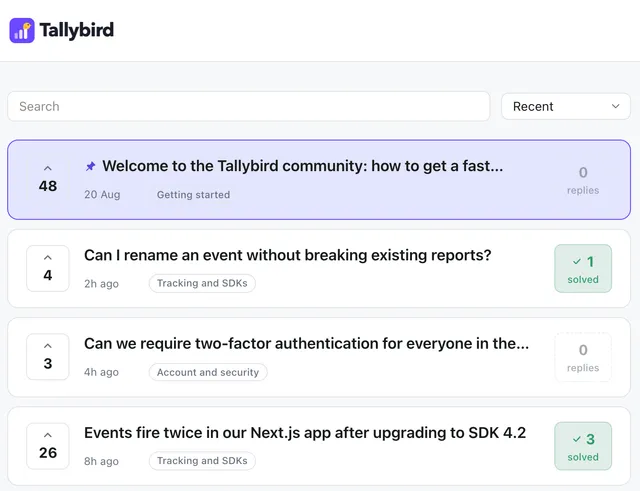
- A search box at the top, with matching questions as they type
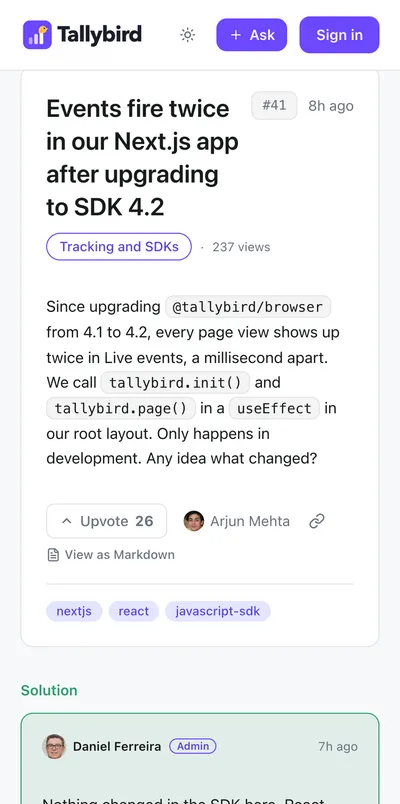
- The solution shown right under each solved question
- Replies from your team labeled with their name and role
What it does not do
Forumcat is a separate site that you link to, so a few things work differently from a plugin.
- No widget or embed: the forum is its own site. You link to it.
- No WordPress plugin: nothing to install on your site.
- No shared sign-in with your website accounts, unless you are on Enterprise with single sign-on.
- No importer: if you have an old forum, leave it up to read while the new one fills.
- You can add your own scripts, like analytics or a chat button, to every forum page.
FAQ
Questions about adding a forum
Can the forum live at yoursite.com/forum?
Not with Forumcat. It runs on a subdomain, like help.yoursite.com, or on a whole domain you set aside for it.
Do I need to change my website?
Only to add a link. The forum is hosted for you, so you do not install anything on your site or your server.
Will a forum on a subdomain help my website in Google?
Each answered question is its own public page that Google can read. We cannot promise rankings for the forum or your main site. Linking the two both ways helps people and search engines find each one.
Can visitors use their account from my website?
Not today, unless you are on Enterprise with single sign-on. Visitors sign in with an email link, a 6-digit code, or Google once you connect your own Google app.
Is it a good fit for a hobby or fan community?
Probably not. It is built for customers asking a company questions. For open chat, events or member profiles, a general community tool will suit you better.
How long does setup take?
Your forum is live about five minutes after you sign up. A custom domain can take a few minutes to a few hours, depending on your domain provider.
Give your website a place for customer questions
Start a free trial, post your first ten questions, and add the link to your site.
7 days free. No card needed.