
How fast can we be live?
Answer
About five minutes. Sign in, name your portal, and it is online at yourcompany.myforumcat.com. Nothing to install.
Customer Q&A
A customer types a question. Your team answers it once, in public. The next person with the same question reads the answer instead of writing to you. Live in about five minutes.
This is a public place where your customers ask you a question and get an answer. It is not a survey tool for asking customers questions.
Free for 7 days. No credit card. Live in about five minutes.
The ask
Four steps, and most of them take seconds. A customer Q&A portal earns its place in the first two. That is where repetitive customer questions stop, before they reach your team.
Search covers the title and the details of every question, and it needs no account. Most people stop right here, in a few seconds.
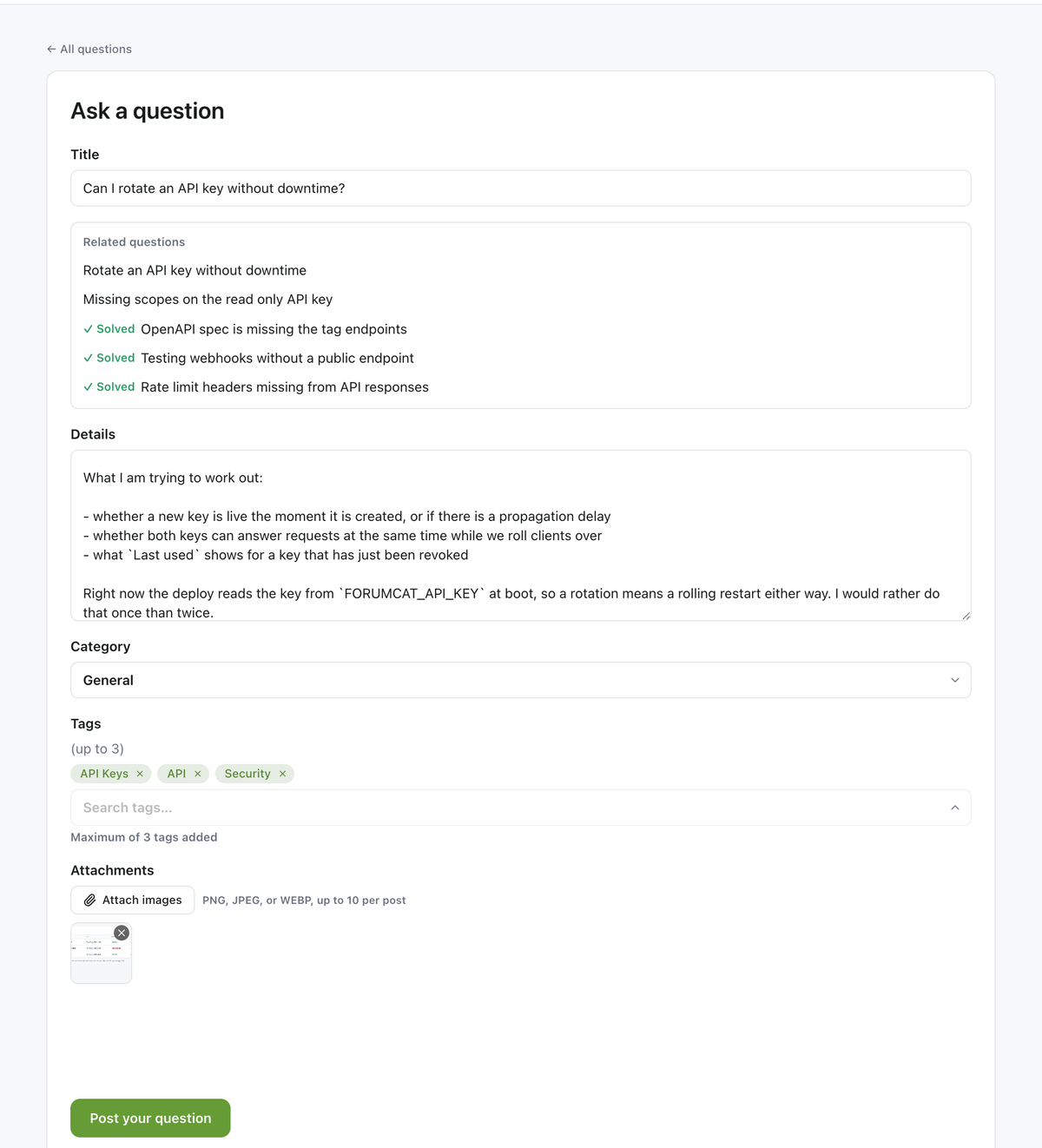
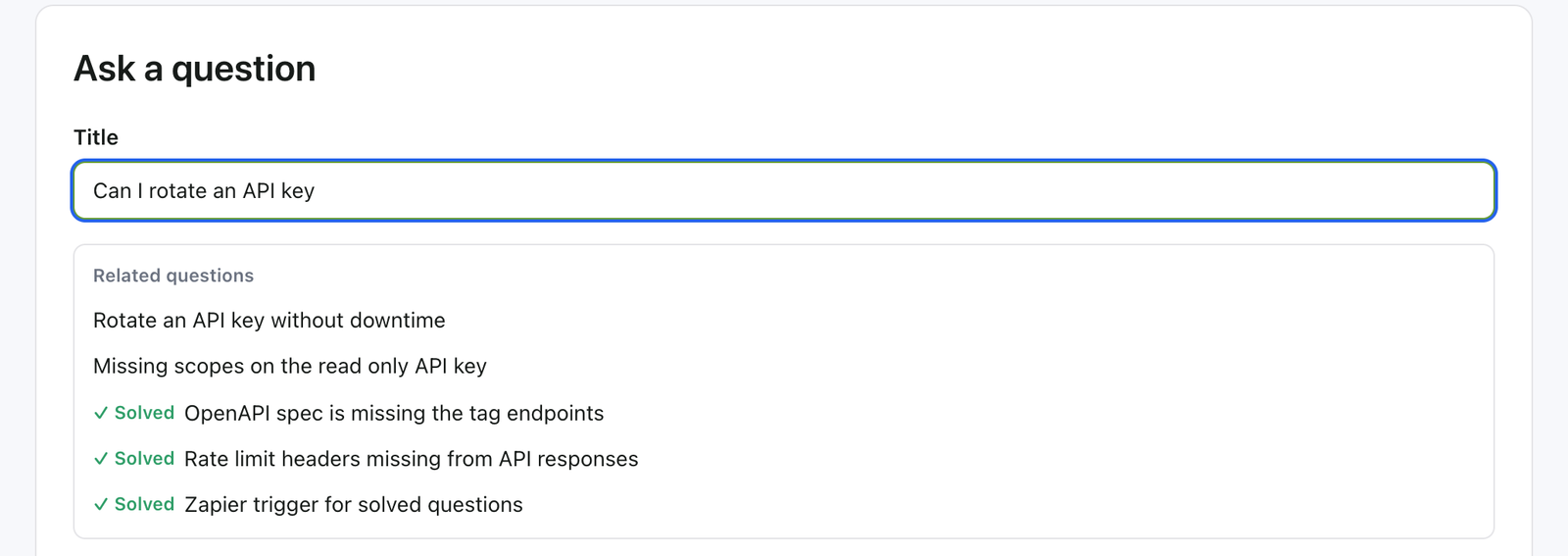
While they type, the form looks for questions that already match and shows them under the box. The aim is that they open one and never need to post.
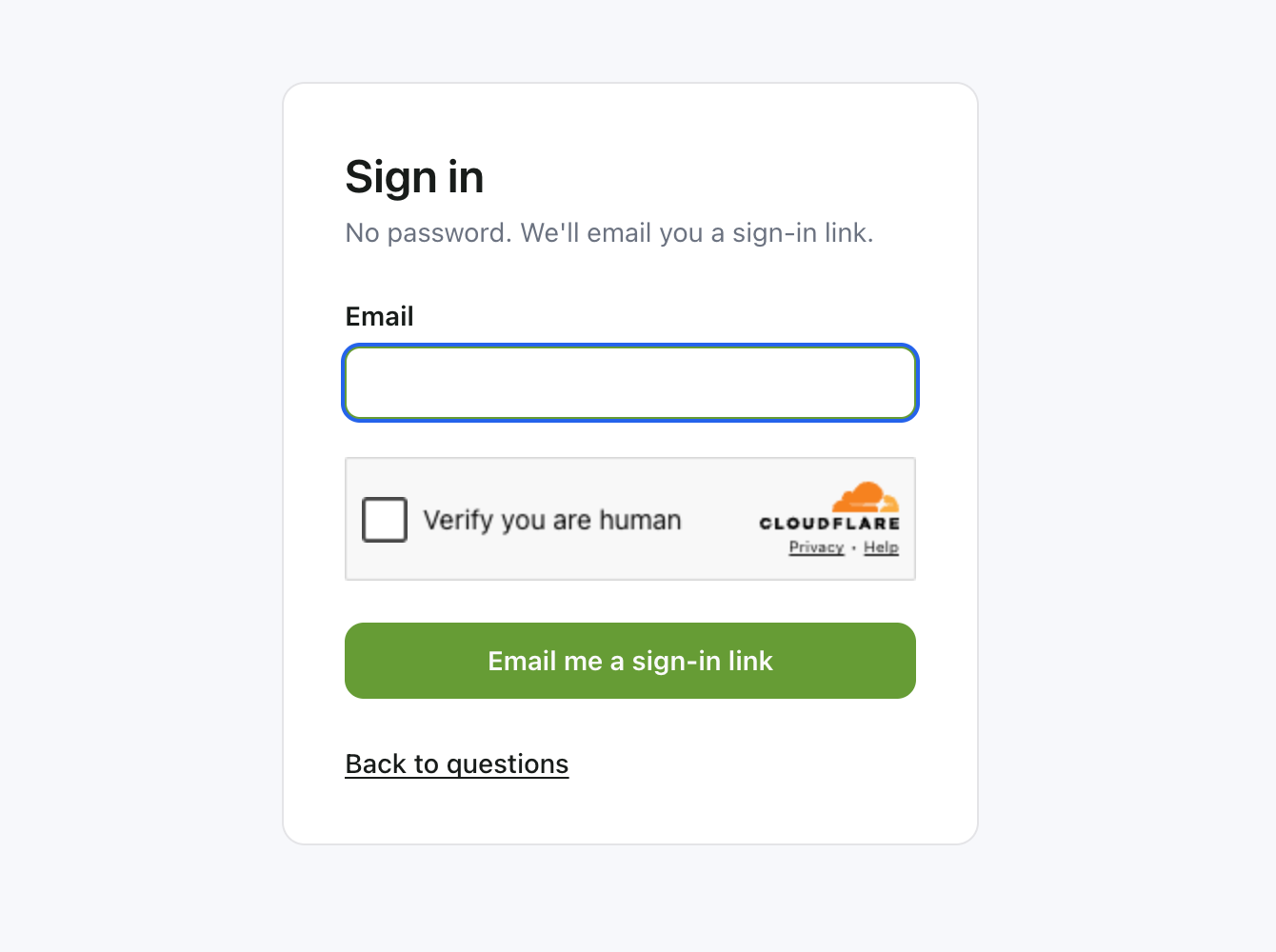
A magic link or a 6-digit code by email, or Google sign-in under your own brand. There is nothing to remember next time.
A title, markdown details, one category, up to 3 tags, up to 10 images. Your reply shows your name and your role, and one reply gets accepted as the solution.
Before it is posted
The ask form reads the title as it is written and suggests questions that look like it. If one of them is the answer, the customer clicks it and is done.
The ones that do get posted are the ones you have not answered yet. Those are the questions worth your time.
Every question page also carries up to five related questions in the sidebar. A near miss still lands somewhere useful. Each question you answer becomes a page that answers the next person too.
The form
Short on purpose. Every field earns its place, and the limits keep the archive readable a year from now.
| Field | Limit | Why it works this way |
|---|---|---|
| Title | One line | It becomes the page heading and the search result. Short titles read better in Google. |
| Details | Markdown | Code blocks, lists and links, so a technical answer stays readable. |
| Category | Exactly one | One shelf per question, so browsing stays simple. Staff can move it later. |
| Tags | Up to 3, from your list | Your team keeps the tag list. Customers pick from it and cannot invent new ones. |
| Images | Up to 10 per post | People show the bug instead of describing it. Images are resized for you. |
| Private | Staff can mark any question private | For the one-to-one cases. A whole category can be private, so everything posted there starts that way. |
Replies take the same markdown and the same image limit. The reply stream is flat, one level. An "in reply to" marker shows when someone answers a specific person.
Sign-in
Reading and searching need no account at all. Signing in is only for asking, replying and voting.
When someone does sign in, they get a magic link or a 6-digit code by email. You can also turn on Google sign-in with your own Google client. The consent screen then shows your company name, not ours.
No password to pick, no password to reset, and no password of your customers for anyone to lose.
The answer
A staff reply carries the person and their role, so a customer can tell your answer from a helpful guess. Five roles share the work: owner, admin, agent, finance and member.
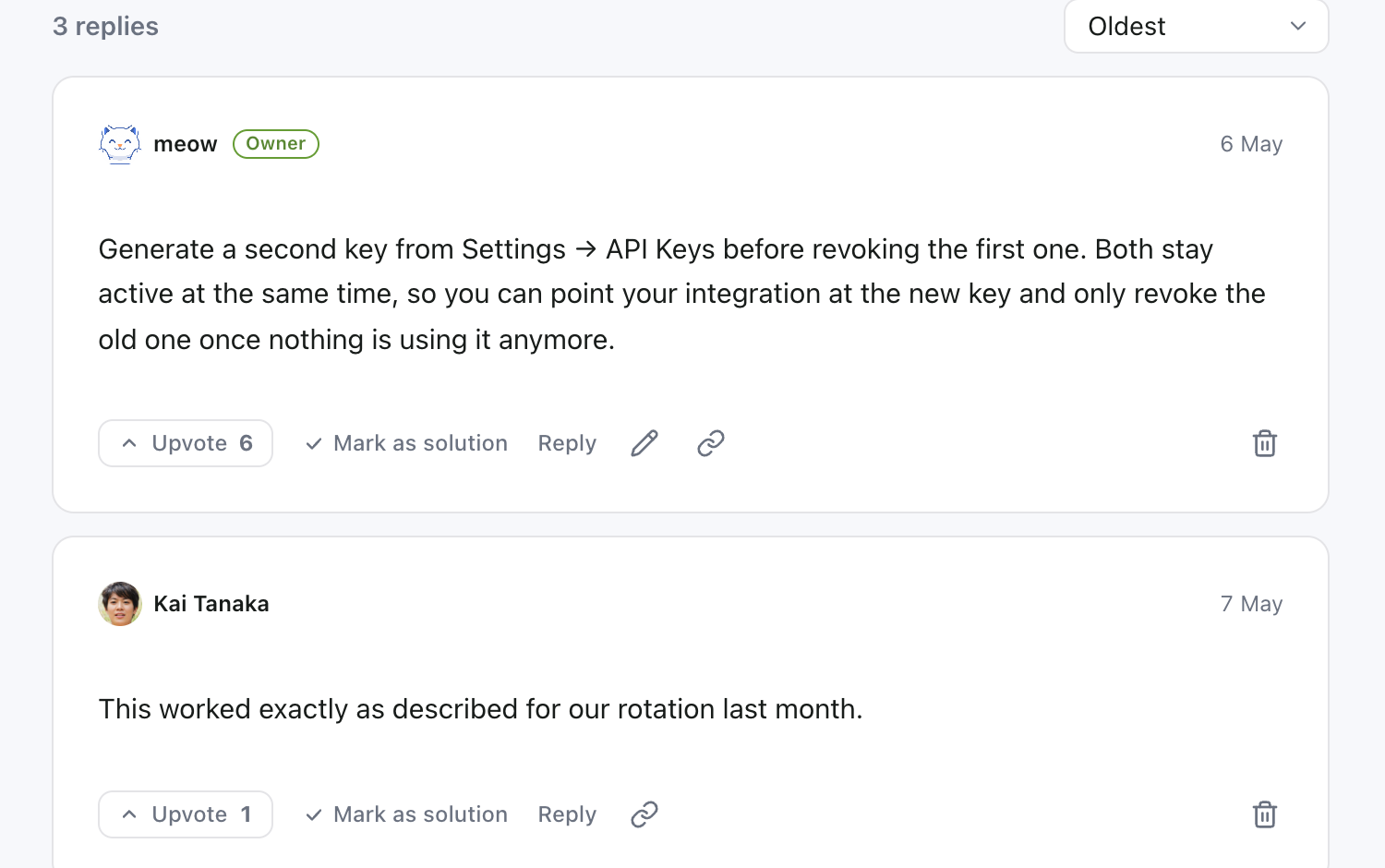
When the asker or your team accepts a reply, it pins under the question and the thread turns solved.
The ask a question form is a hosted page on your portal, at /ask. There is no script tag, no embed, and no in-app help panel.
Teams link to it from the site header, the help center, the app, and the reply templates support already uses. On Pro the whole portal sits on your own domain, so the link never leaves your brand.
That is the honest shape of it. If an embedded widget is what you need, this is not the tool.
Pricing
Not per user. Not per question. Grow all you want, your bill stays the same. More traffic is good news, not a bigger bill.
$9 one-time
Create your portal$99 per month
Start with ProEverything in Basic, plus
FAQ
About five minutes. Sign in, name your portal, and it is online at yourcompany.myforumcat.com. Nothing to install.
On your portal, as a hosted page. You link to it from your site, your app and your support replies. On Pro it runs on your own domain.
No. They sign in with a magic link, a 6-digit email code, or Google. The Google screen shows your company name, not ours.
No. Reading and searching are open to everyone. Signing in is only for asking, replying, and voting, and it is passwordless.
Only the person who asked it and your team. Whole categories can be private too, so every question posted there starts private.
That is what the search box, the duplicate suggestions and the accepted solution are for. The questions you have already answered stop coming back as new posts.
The same as month one. $9 one time for a portal on a Forumcat subdomain, or $99 a month for your own domain. The bill never grows with traffic or questions.

A public question and answer site, on your own address, with the first answer written today.
Create your portalFree for 7 days. No credit card. Live in about five minutes.