Rankings follow URLs. A URL is the address of one page, like example.com/questions/refund-policy. Google builds its trust in those addresses, not in the software behind them. So if every old thread address points to its new home with a permanent redirect, you keep most of what you earned. If the old addresses stop working, the rankings on them go away too. The whole job is protecting the addresses that matter. Here is the plan, in order.
Why moving a forum is not like moving a website
Most migration guides talk about a site with thirty pages. A forum is not shaped like that. A forum that has run for a few years may have thousands of thread addresses. Each answered thread is its own page in Google's index. Each one can rank on its own for its own question.
That changes the work. You are moving a large pile of small pages, and deciding what happens to each one. The helpful part is that the pages are not equal. A small share of threads usually brings most of the search visits. Find that share, protect it carefully, and the job gets much smaller.
Step 1: make a list of every thread address
Do this before you touch anything else. You need a full list of the addresses your forum publishes today.
There are two easy ways to get one. Many forum platforms can export a list of thread URLs from the admin area. If yours cannot, run a crawler over the site. A crawler is a tool that walks your pages link by link and writes down every address it finds. Screaming Frog and Sitebulb are two common ones.
Now add the traffic numbers. Your analytics tool shows visits per page. Search Console shows clicks from Google. Search Console is Google's free tool for site owners. It shows which of your pages get clicks from search, and for which searches. Export its page report for the last twelve months and match it to your URL list.
Sort the result by clicks, highest first. Most forums find that a modest set of threads carries a large part of the search traffic. Those threads are the asset you are protecting. Everything below them is history, and you get to choose how much of it comes with you.
Step 2: give every address one of three fates
Go down the sorted list and mark each address with one of three choices. Do it in groups where the threads are alike, so the work stays sane.
The first choice is redirect. The thread survives the move and lives at a new address on the new platform. You will point the old address at the new one.
The second choice is re-create, then redirect. You write the question and the answer fresh on the new platform, because the content is worth keeping but the old post cannot be moved as it is. The new page gets a clean address, and the old thread points at it.
The third choice is let it go. Dead threads with no visits and no useful answer do not need to travel. For those, the honest move is a "gone" status. That is a plain signal from your server saying the page was removed on purpose. It tells Google to stop checking back, and it does not harm the pages you kept.
Step 3: redirect thread to thread with a 301
A 301 is a permanent redirect. It is a short instruction your server sends when a browser or a search engine asks for an old address. It means "this page moved here for good". Google follows it, and over time it moves the standing it gave the old address to the new one. This is not instant and it is not exact, but it is the mechanism that carries rankings across a move.
Map each old thread to the page that answers the same question on the new platform. Thread to thread, one at a time. Resist the shortcut of sending a big group of old threads to your homepage. A redirect to a page about something else looks to Google like the old page was simply deleted. The old page's standing then has nothing to attach to.
If a thread has no good match on the new side, return the gone status instead of pointing at the homepage. That is a cleaner answer.
Keep the redirects running for years, not for a month. Other sites still link to your old addresses. People still have them in bookmarks and in old emails. Redirects are cheap to keep, and switching them off later undoes the work you just did.
Step 4: set up the new side so Google can follow
Give each question exactly one address on the new platform. If the same thread is reachable at two addresses, the signals split between them. When duplicates are unavoidable, use a canonical tag. That is a line in the page's code that tells Google which address is the real one when several show the same content.
For threads you re-create by hand, keep the new title close to the old title. People searched with words that matched the old wording. Changing the question to something clever makes it harder to match.
Then publish a sitemap and submit it in Search Console. A sitemap is a file that lists the pages you want search engines to find. Submitting it is a nudge, not a command, but it speeds up discovery of the new addresses.
After that, watch and wait. Google recrawls a large forum slowly, page by page. The first few weeks usually look unsettled, with pages moving up and down while the old and new addresses swap places. Check the coverage report in Search Console to confirm the new pages are being indexed and the old ones are being redirected. Judge the outcome at two to three months, not at two weeks.
Step 5: leave some things behind on purpose
A move is the one good chance to get smaller. Take that chance.
Years of off-topic chat rarely earn search visits, and they cost you time in the move. Threads with wrong or expired answers are worse than nothing, because a stale answer that ranks well sends bad information to customers. Old user lists are their own problem. People agreed to hear from your old forum, not from a new tool, so treat consent as something that does not transfer.
Write the skip list down before you start. Otherwise the move quietly expands to cover everything, and it stalls.
If you are moving to Forumcat
Forumcat does not import content from other forum platforms. There is no importer, and there is no one-click move. Teams that switch re-create their best answered threads by hand, then redirect the old addresses to the new ones.
That sounds heavy until you look at the list from step 1. The work is bounded by the threads that actually earn visits, which is usually tens of threads, not thousands. A person can re-create thirty good answers in a couple of afternoons. The rest of the old forum gets a gone status and stays in the past.
On the domain side, a paid plan puts the portal on your own address, such as help.yourcompany.com, with the certificate that turns on the padlock handled for you. Once the custom domain is connected, the Forumcat subdomain redirects to it, and the canonical tags follow the custom domain. So the address you point your redirects at is the address Google treats as real. If you want the platform-specific notes before you commit, the platform alternatives hub covers what moving from each common tool involves.
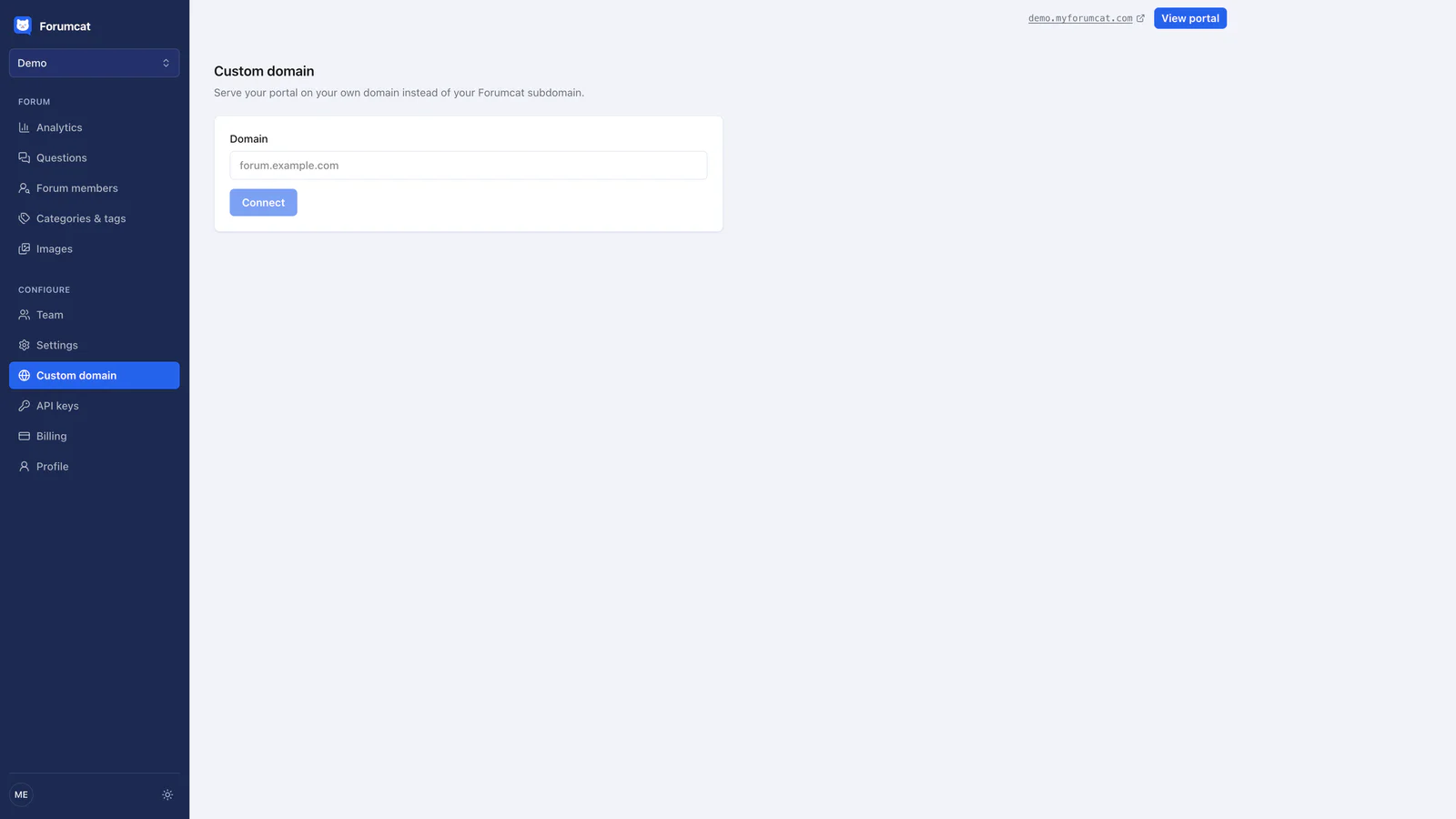
One real address for the portal, with the Forumcat subdomain redirecting to it.
Keep reading: self-host or buy your customer forum and how to set up a customer support forum.