A support forum works for a SaaS product for two reasons. Your questions repeat, and your customers are awake when your team is not. So publish the questions that repeat, and keep anything tied to one account in the inbox. That is the sorting rule. A public answer then keeps working overnight and in other time zones, without anyone on shift.
A support forum here is a set of public pages. One page holds one question and its replies. Anyone can read and search those pages without an account. The rest of this post is how to run one next to the tools you already pay for.
Why this fits SaaS in particular
Three things about software products make public answers pay off.
The first is release speed. You change the product every week or two. Questions arrive in clusters right after a change, and the same cluster hits many customers at once. Answer it once and you have covered the whole cluster.
The second is time zones. Software sells everywhere from day one. A customer in Sydney gets stuck while your team in London is asleep. An email waits nine hours. A public page does not.
The third is that people search you before they write to you. Someone evaluating your product will read your public answers. So will a customer deciding whether to renew. A good public answer is read by buyers as well as by users.
The sorting rule: public or inbox
Put a question in public if the answer would help a stranger. That covers how a feature works, why an error message appears, what a setting does, whether something is possible at all, and the steps for setup or migration. None of those need the customer's data. Any reader with the same question gets the same answer.
Keep a question in the inbox if the answer needs their data. Billing on one account, a refund, a password reset, a bug tied to one workspace, and anything covered by a contract or an NDA all belong there. An NDA is an agreement not to share what a customer told you.
Some questions start public and turn private halfway through. A customer asks how billing proration works, then pastes an invoice number. Answer the general part in public. Move the account part to email. On Forumcat you can also mark a question private, so only the asker and staff can see it.
How one thread answers at two in the morning
The mechanism is plain. A customer hits a problem at two in the morning. They search your site or they search Google. They find a solved thread that matches. They fix the problem and close the tab. No ticket is filed, so nobody has to reply to it in the morning.
That only works if the thread is findable and clearly finished. Findable means the title uses the words a customer would type. Finished means one reply is marked as the accepted answer, so a later reader knows which reply to trust.
Here is the arithmetic, with made-up numbers you should replace with your own. Say thirty questions a week ask the same handful of things. Say each one costs ten minutes to answer. That is five hours a week. One good public thread does that job after you write it once.
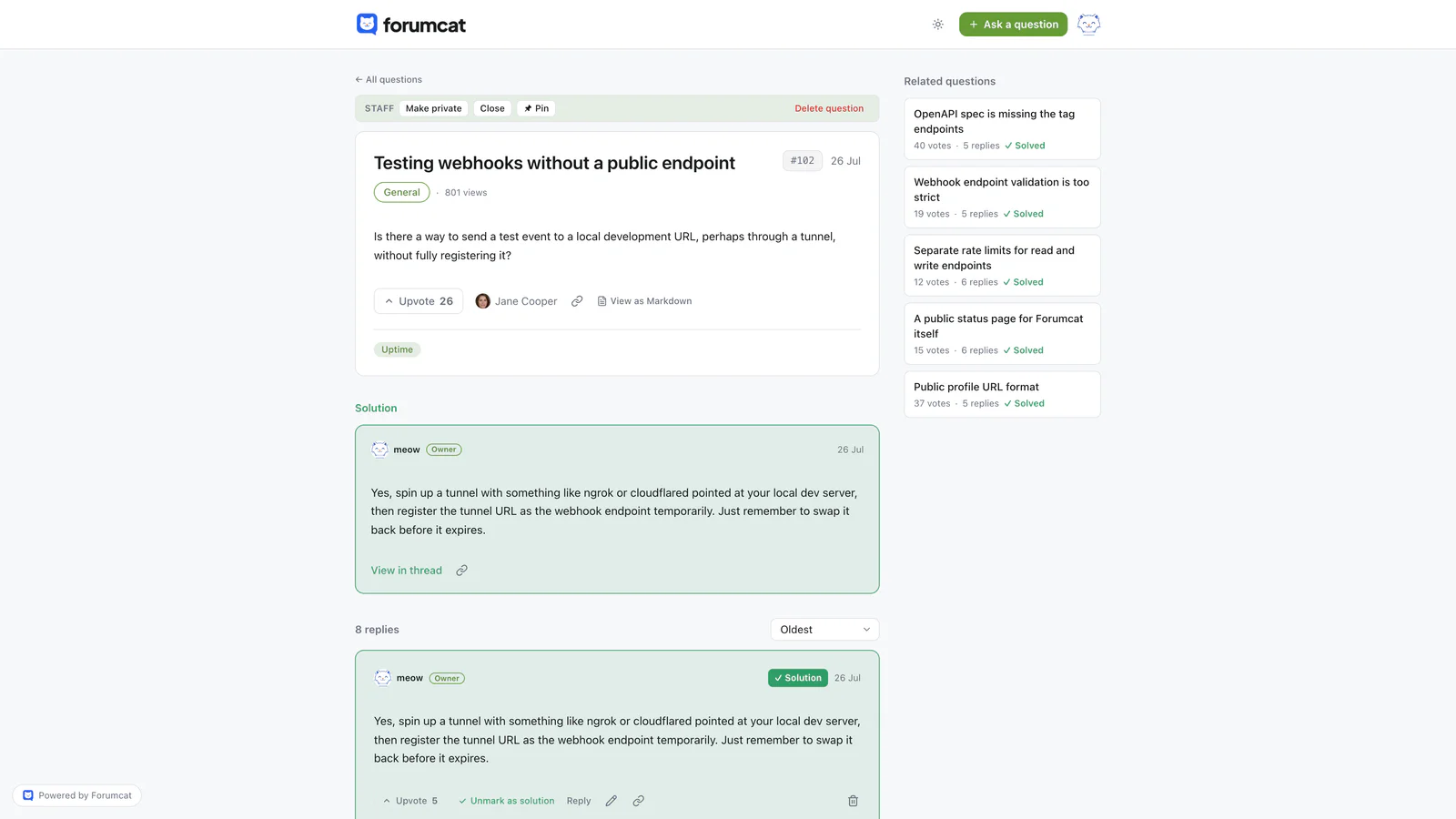
The thread that answers at 2am without anyone on shift.
Those numbers are an example, not a measurement. Count your own repeats for two weeks before you trust any of it.
Where the forum sits next to your other tools
The forum sits beside your help desk. It does not replace it. Account-specific work still goes to the inbox, and the forum handles the questions that repeat.
It is also a different thing from a shared inbox, live chat, a status page, or a roadmap tool. Those four tools each answer a different need. A status page says whether the service is up. A roadmap tool collects feature requests. You may already own some of them, and a forum does not make any of them redundant.
The overlap that matters is with your help center. A help center holds articles your team writes. A forum holds questions your customers asked, in their own words. Both can live on the same site, and many teams run both.
What to publish first
Start with the questions you already answer, in this order.
Take the top ten questions from your inbox over the last month. Then add the questions sales hears every week during demos. Then the questions your last three releases caused. Then the errors your team explains most often, one thread per error message.
Write each one as a question in the customer's words, with your answer under it. Mark your reply as the accepted answer. Ten to twenty solved threads is enough to open with. Our post on how to seed a new forum covers the writing part in detail.
Do not wait for customers to post first. An empty forum looks abandoned, and nobody wants to be the first person asking into silence.
The release rhythm
This is the habit that keeps a SaaS forum alive. After each release, post the two or three questions the release will cause. Answer them yourself, before anyone asks.
You already know what the questions will be. The team argued about the change in review, and support flagged the confusing part. Write those down as threads on release day.
Then link the thread from your release notes and your in-app changelog. The customer who is confused by the change finds the answer in the same place they read about the change.
This takes about twenty minutes per release. It is the cheapest support work in the cycle, because you are writing while the change is fresh.
What goes wrong, and the fix
Three things go wrong for SaaS teams. All three are fixable, and all three get worse if you ignore them.
Threads go unanswered during a busy sprint. A visitor sees a question from three weeks ago with no reply and decides that writing to you is pointless. The fix is one owner and one daily check of the unanswered list, even during a crunch.
Answers go stale after a UI change. Your thread says click Settings, then Billing. The button moved two releases ago, so the answer is now wrong. This is the main maintenance cost of a public forum. The fix is a line in your release checklist: after a UI change, search the forum for the old label and update what you find.
An outage thread gets abandoned. Customers post during an incident, someone replies "looking into it", and nobody comes back. The fix is to close the loop on the same thread once the incident ends, with one short note on what happened.
What to measure
Keep the measurement short. Three numbers tell you enough.
Count repeats this month that were already answered in public. That number should fall. Count searches on your portal that returned nothing, because those are the threads you have not written yet. Count how many support replies included a link to a public thread, because that habit is what makes the forum grow.
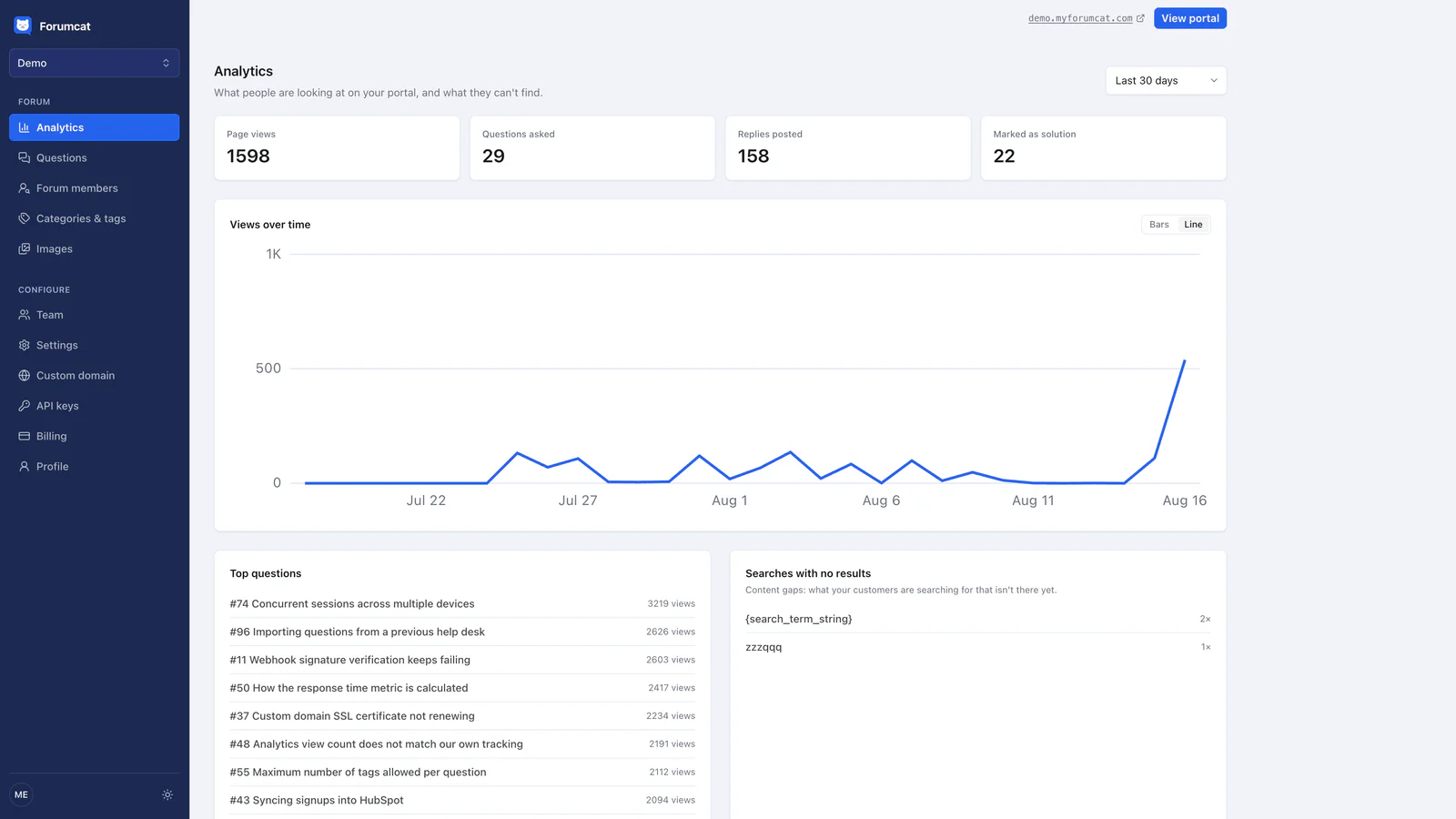
Views on old threads are the overnight work, made visible.
Views on old threads matter too. A thread you wrote in March that still gets read in September is doing the quiet work. For the arithmetic behind all of this, see the ticket deflection page and our post on cutting support tickets with a self-service forum.
Forumcat is one way to run this. A portal is live in about five minutes and there is nothing to install. Customers read and search without an account, and sign-in for asking is a magic link, a six-digit email code, or Google. The asker or staff marks one reply as the accepted answer, and it pins under the question. Every answered public question ships QAPage structured data, which lets search engines read the page as a question with an accepted answer. A hosted support forum on a Forumcat subdomain is $9 one time. A custom domain and higher caps are $99 a month. The trial runs 7 days with no card.
Forumcat has no integrations and no webhooks. It cannot import your existing help center articles, and it does not sync with Slack or your help desk. You seed it by writing threads, and you link to it from the tools you already use.
Keep reading: cutting support tickets with a self-service forum and how to seed a new forum.