An FAQ page is faster to build and easier to keep tidy. A forum scales further, because customers add the questions you did not think of. Keep the FAQ page for the ten questions every buyer asks. Use a forum for everything else. Most sites need both.
FAQ means frequently asked questions. A forum is a set of question pages with public replies. This post covers what each one is good at, the signs that one page is no longer enough, and how the two work side by side.
What each one is
An FAQ page is one page you write. A forum is many pages your customers start.
An FAQ page lives at a single web address. You pick the questions. You write the answers. You choose the order they appear in. Nothing shows up on it unless you put it there.
A forum works the other way. A customer posts a question in their own words. Your team posts the answer in public. Each question gets its own page, called a thread. A thread is one question with its replies under it.
The difference is who writes the question. Most of what follows comes from that one difference.
What an FAQ page is good at
An FAQ page is the fastest way to answer the questions a buyer asks before paying.
You can publish one in an afternoon. It is a page on the site you already have. There is nothing to set up and nobody to invite.
It is also easy to control. Every answer sits in one place. You can read the page top to bottom and fix the wording in one sitting. When a price changes, you edit one page and you are done.
It fits well next to a pricing table. Buyers there have a short list of worries. Refunds, contract length, what happens when the trial ends. Six answers under the price handle those, and the reader never leaves the page.
A short FAQ page is a good part of a site. The trouble starts when it is the only place answers live.
Five signs you have outgrown one FAQ page
You have outgrown the page when finding an answer on it is harder than emailing you.
- The page is past about twenty questions. People scroll instead of scanning.
- Customers still email you things the page answers. They could not find them.
- You use the browser find command to edit it. That is Ctrl+F, and you are using it on your own content.
- Two people on the team disagree about what belongs on the page. It has no clear edge any more.
- Questions arrive that you would never have predicted. One page has no room for the rare ones.
One or two of these is normal. Four or five means the page is doing a job it was not built for.
One page is one web address
One page is one web address, so twenty questions have to share it.
A web address is the location of a single page. Your FAQ page has one. It has one page title, one main heading, and one place in search results. All twenty questions share that.
A search engine reads the page as one thing. Someone searching for their exact problem lands at the top of a page about many topics. Then they have to hunt.
Twenty threads are twenty pages. Each one has its own title, in the words the customer used. Each one can match a different search. Nobody has to scroll past nineteen other answers to reach the one they came for.
This is also why the two grow differently. A forum can hold two thousand threads and still work, because nobody reads it as a list. An FAQ page has to be pruned to stay readable. Every answer you add makes the others a little harder to find.
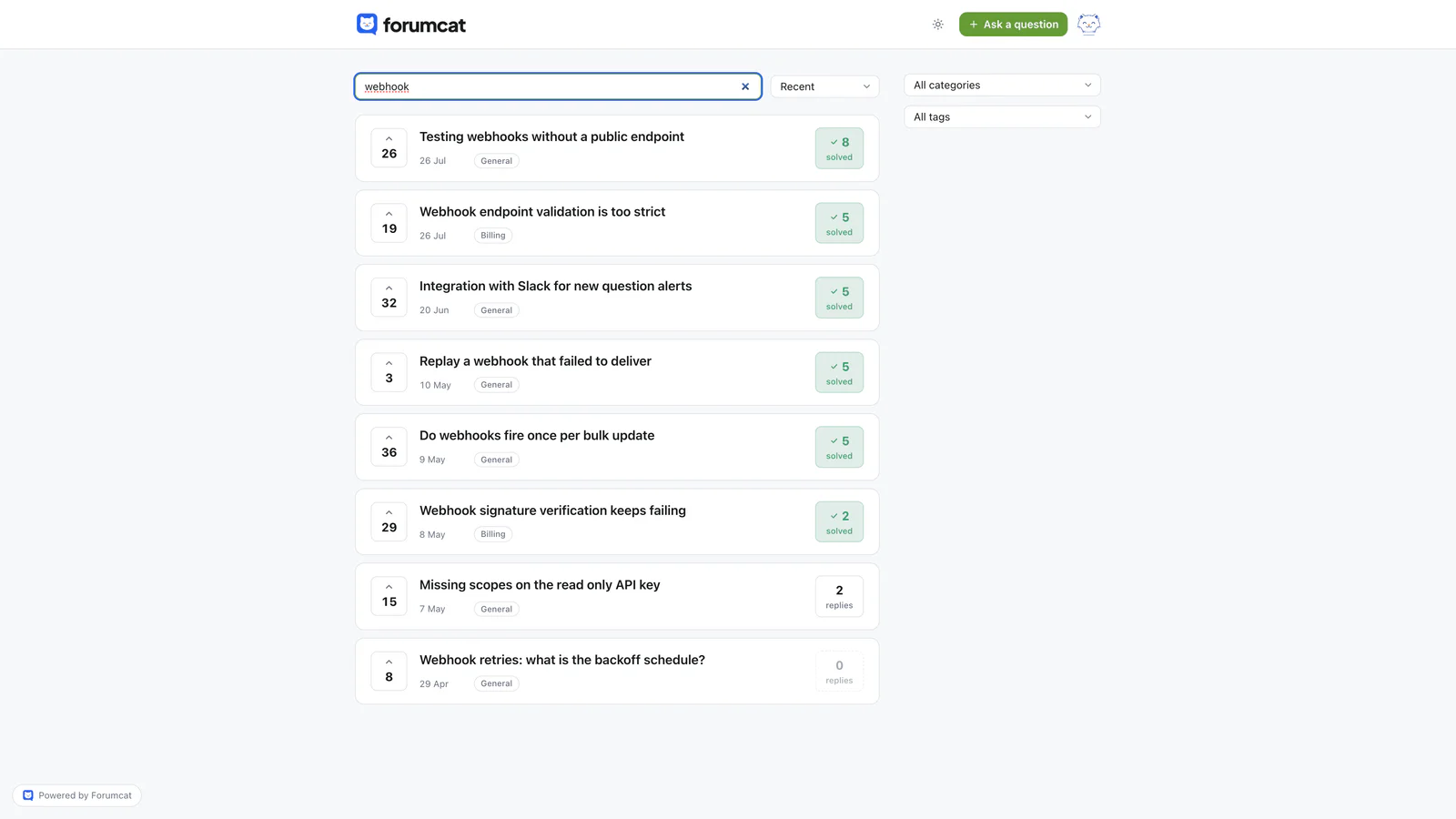
Twenty threads are twenty pages, each with its own title.
A forum collects the questions an FAQ page has to guess
A forum hands you the real list of questions, written in the customer's words.
When you write an FAQ page, you are guessing. You sit down and try to remember what people ask. Your team knows the product too well to guess accurately. You write the questions you wish people asked.
A forum removes the guessing. Every posted question came from a real person with a real problem. The wording is theirs. It is close to what they would type into a search engine.
You also get the questions nobody on your team would think to write down. Odd setups. Two features used together in a way you did not plan for. Problems that only appear after a month of use.
That list is worth having outside support too. Five people confused by the same screen is a note for whoever builds the screen.
Forumcat helps here in a small way. While a customer types a new question title, the portal suggests existing threads that already answer it. The long tail grows without the same question being posted five times.
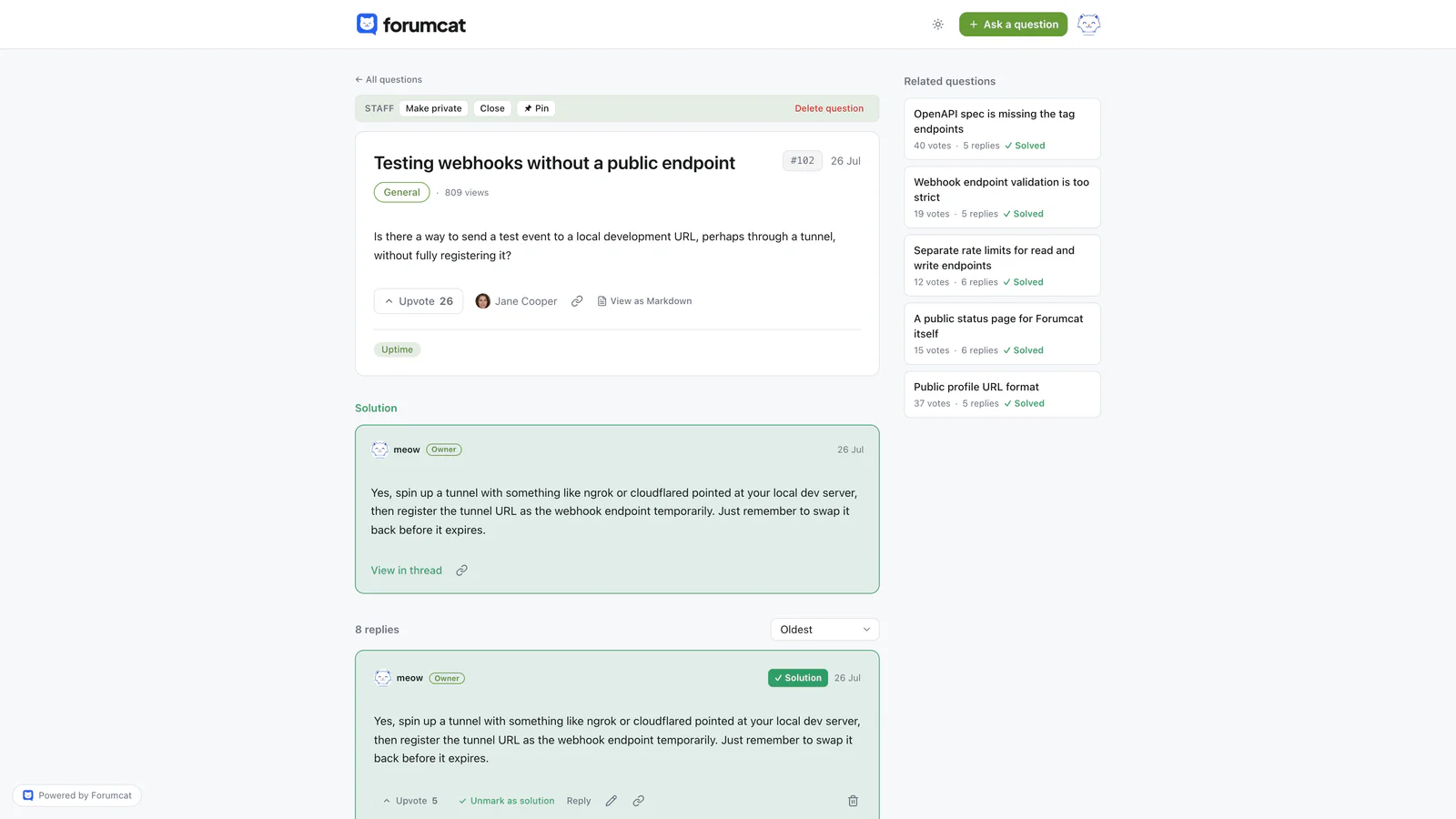
The forum collects the questions an FAQ page has to guess.
What a forum costs that an FAQ page does not
A forum needs a person, most working days. An FAQ page does not.
Someone has to answer new questions within a day. A public question with no reply reads worse than no page at all. Visitors see it and decide nobody is home.
Someone has to keep the titles readable. Customers write titles like "it broke" or "help please". Rewriting that into plain words takes a few seconds, and it is what makes the thread findable later.
The first weeks look quiet. An empty forum helps nobody, so you seed it. Seeding means writing the first ten to twenty threads yourself, from questions your inbox already answers.
None of that is heavy work. It is a daily habit rather than a project, and habits are the part teams underestimate.
How to run both together
Keep the FAQ page for the ten questions every buyer asks, and let the forum hold the rest.
- Cut the FAQ page down to about ten questions. Pick the ones a buyer asks before paying, and the ones you would say out loud on a call.
- Add a plain link at the bottom of the FAQ page to the forum. Say what is over there, in a sentence.
- Promote a thread when it has been asked for the fifth time. That question is now common, so it belongs on the FAQ page.
- Retire an FAQ entry when it stops being asked. Take it off the page and leave the answer in the forum, where search can still find it.
The FAQ page stays short. The forum keeps growing. Neither one has to do the other's job.
If you want the forum side to carry weight in search, look at how the answers are published. In a Forumcat portal, every answered public question ships QAPage structured data. That is extra code telling a search engine the page is a question with an accepted answer under it. Search covers every question and answer, which is what keeps the long tail usable as it grows. You can see the shape of that on the page for a hosted support forum.
Two limits. Forumcat does not replace your FAQ page, and we would not suggest deleting it. There is also no widget to embed a thread inside your page, so the connection between the two is a plain link you add yourself.
Where a knowledge base fits
A knowledge base sits between the two. It is a set of articles your team writes, one page per topic, filed under categories. It has the control of an FAQ page and the room of a forum. It also carries the cost of both, because your team writes every page.
That comparison has its own post, so we will not repeat it here. Read knowledge base vs community forum for the full version, and the page on alternatives to knowledge base software if you are picking a tool this week.
Keep reading: how a self-serve forum cuts support tickets and how to reduce repeat questions.